

Get started
You’ll need about ten minutes. By the end, an agent you wrote answers a call from your own code.
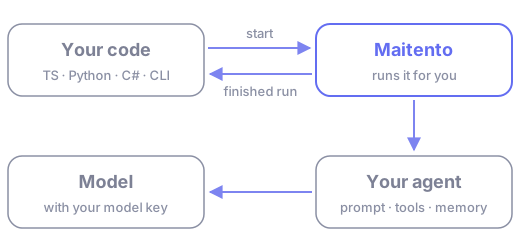
- Get access. Sign up for a tenant on the Free plan, and sign in to the portal.
- Create an API key in the portal and put it in an environment variable.
- Add a model key. Maitento runs your agents on your own account with the model provider.
- Install an SDK or the CLI. TypeScript, Python, C#, or the
mtcommand line. - Run your first agent. Write two small files, deploy them, and run them.
Then carry on with the tutorials, which build up from there to code pipelines and a small support desk.
