

3. Add a model key
Maitento calls models from providers such as OpenAI, Anthropic and DeepSeek on your account with that provider. Add your provider’s API key once, and every run uses it.
The tutorials use DeepSeek’s deepseek-v4-flash, which is fast and inexpensive. Get a key from the
DeepSeek platform and add it. For the knowledge and memory tutorials, add an
OpenAI key as well: they need embeddings, which DeepSeek doesn’t offer.
In the portal
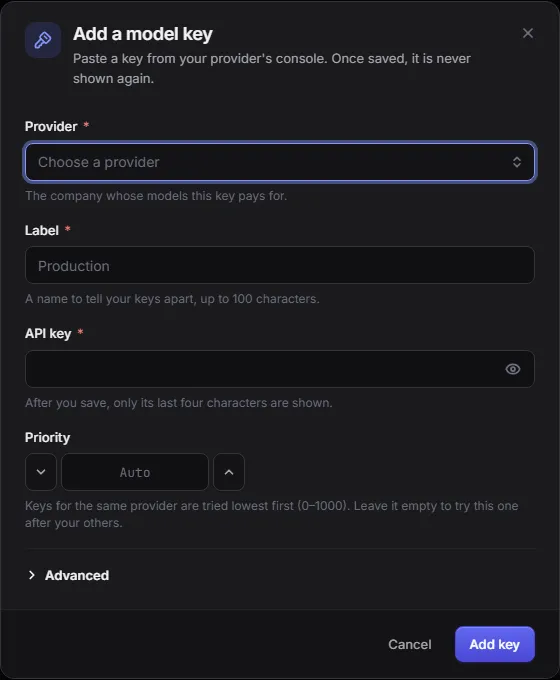
Section titled “In the portal”Open Settings → Model keys, choose Add model key, pick the provider, give it a label and paste the key. Only tenant admins can add keys.
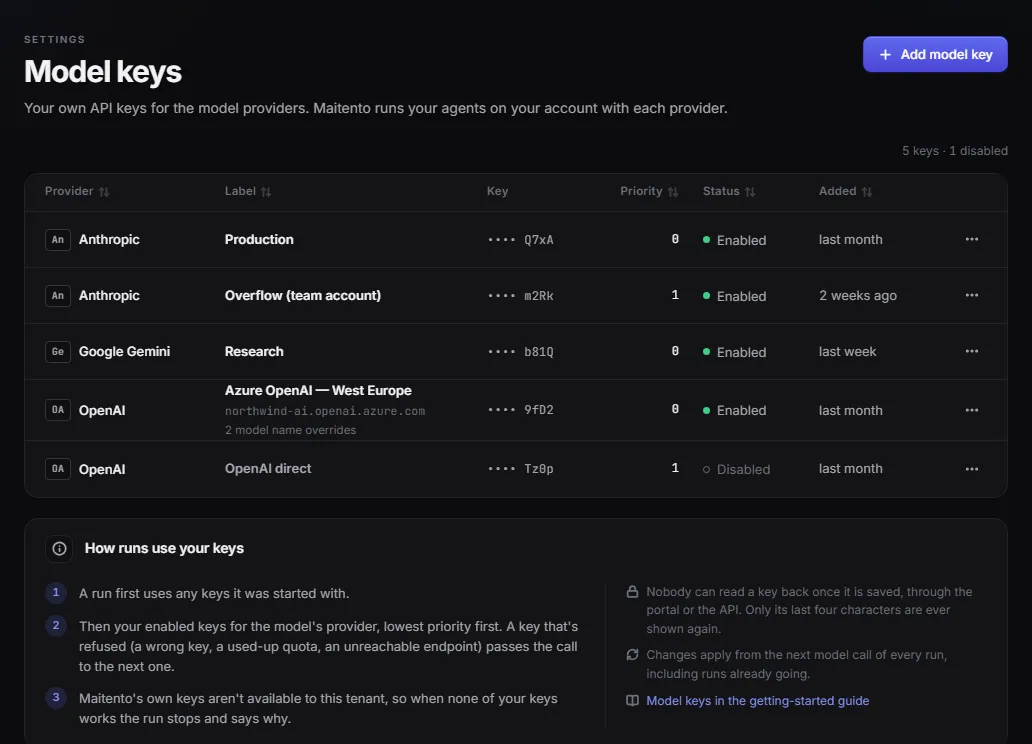
The page lists your keys, with only their last four characters, and explains the order a run tries them in:
Or with code
Section titled “Or with code”await mt.modelKeys.create({ provider: "DeepSeek", label: "Tutorials", apiKey: process.env.DEEPSEEK_API_KEY! });mt.model_keys.create(provider="DeepSeek", label="Tutorials", api_key=os.environ["DEEPSEEK_API_KEY"])await mt.ModelKeys.CreateAsync(ModelKeyProvider.DeepSeek, "Tutorials", Environment.GetEnvironmentVariable("DEEPSEEK_API_KEY")!);curl -X POST https://api.maitento.com/tenants/self/model-keys \ -H "Authorization: $MAITENTO_AUTH" -H "Content-Type: application/json" \ -d '{"provider": "DeepSeek", "label": "Tutorials", "apiKey": "'"$DEEPSEEK_API_KEY"'"}'The providers are OpenAi, Anthropic, DeepSeek, Gemini, Qwen, Glm and Kimi.
Good to know
Section titled “Good to know”- A key can’t be read back once it’s saved: Maitento only ever shows its last four characters.
- Several keys for one provider are tried in priority order, so a refused or exhausted key passes the call to the next one.
- A run with no key for its model’s provider fails straight away and says so. Its failure details end with
[api:model-keys:none-for-provider], and the portal shows a button to add one.
More in Models and model keys.
Next: 4. Install an SDK or the CLI.
